
FileRise - Elevate your File Management
Video demo:
https://github.com/user-attachments/assets/9546a76b-afb0-4068-875a-0eab478b514d
Dark mode:

changelogs available here: https://github.com/error311/FileRise-docker/
FileRise is a lightweight, secure, self-hosted web application for uploading, syntax-highlight editing, drag & drop file management, and more. Built with an Apache/PHP backend and a modern JavaScript (ES6 modules) frontend, it offers a responsive and dynamic interface designed to simplify file handling. As an alternative to solutions like FileGator, TinyFileManager, or ProjectSend, FileRise provides an easy-to-set-up experience ideal for document management, image galleries, firmware hosting, and other file-intensive applications.
Features
-
Multiple File/Folder Uploads with Progress (Resumable.js Integration):
- Users can effortlessly upload multiple files and folders simultaneously by either selecting them through the file picker or dragging and dropping them directly into the interface.
- Chunked Uploads: Files are uploaded in configurable chunks (default set as 3 MB) to efficiently handle large files.
- Pause, Resume, and Retry: Uploads can be paused and resumed at any time, with support for retrying failed chunks.
- Real-Time Progress: Each file shows an individual progress bar that displays percentage complete and upload speed.
- File & Folder Grouping: When many files are dropped, files are automatically grouped into a scrollable wrapper, ensuring the interface remains clean.
- Secure Uploads: All uploads integrate CSRF token validation and other security checks.
-
Built-in File Editing & Renaming:
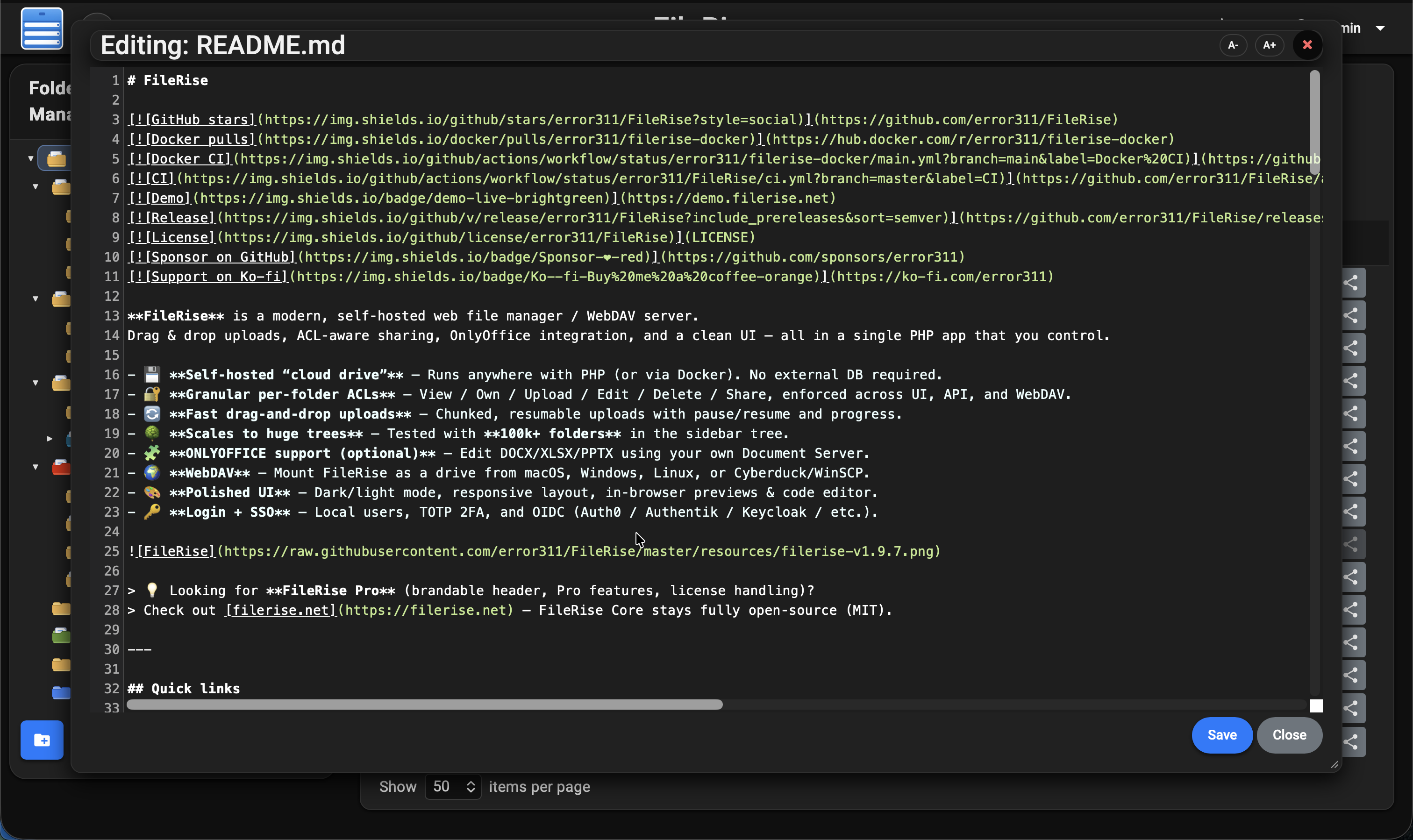
- Text-based files (e.g., .txt, .html, .js) can be opened and edited in a modal window using CodeMirror for:
- Syntax highlighting
- Line numbering
- Adjustable font sizes
- Files can be renamed directly through the interface.
- The renaming functionality now supports names with parentheses and checks for duplicate names, automatically generating a unique name (e.g., appending “ (1)”) when needed.
- Folder-specific metadata is updated accordingly.
- Enhanced File Editing Check: Files with a Content-Length of 0 KB are now allowed to be edited.
- Text-based files (e.g., .txt, .html, .js) can be opened and edited in a modal window using CodeMirror for:
-
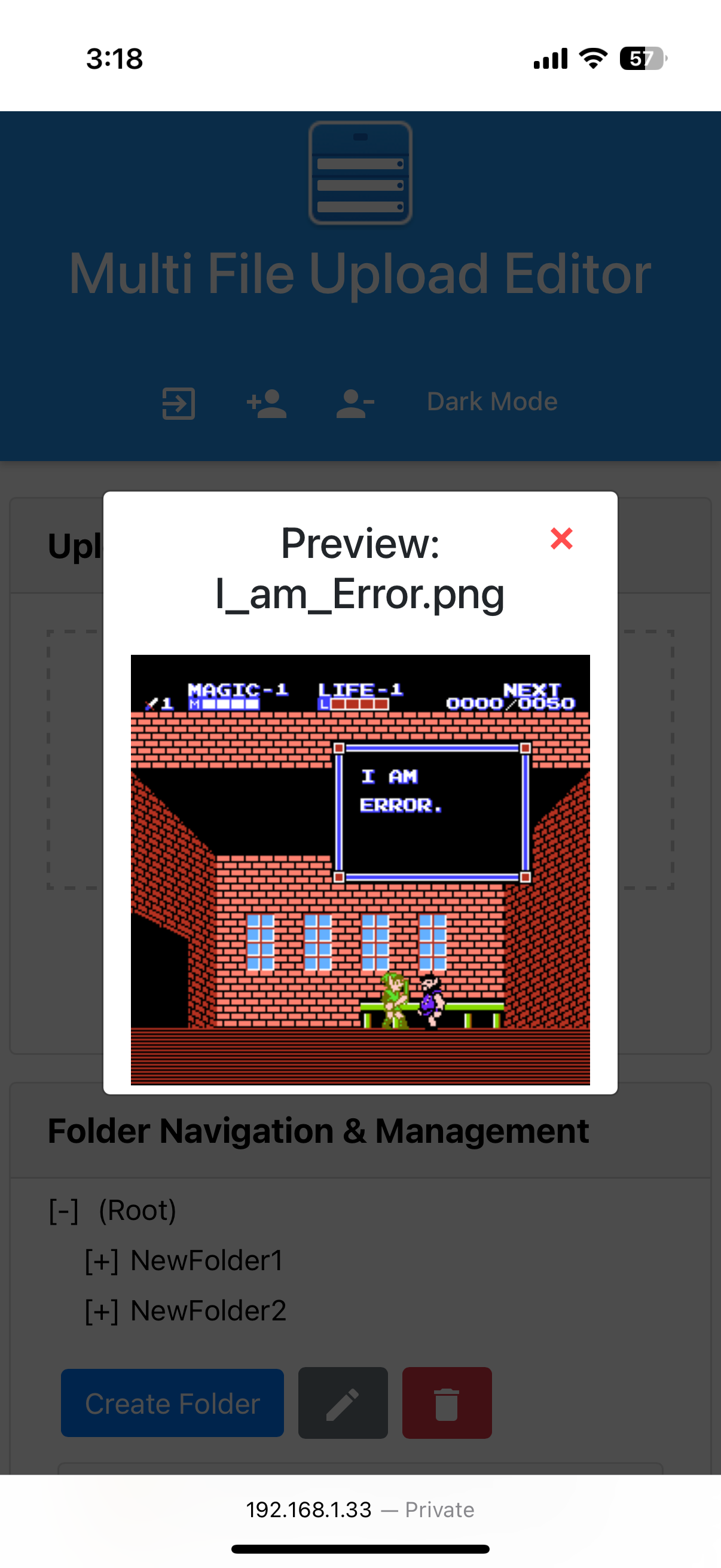
Built-in File Preview:
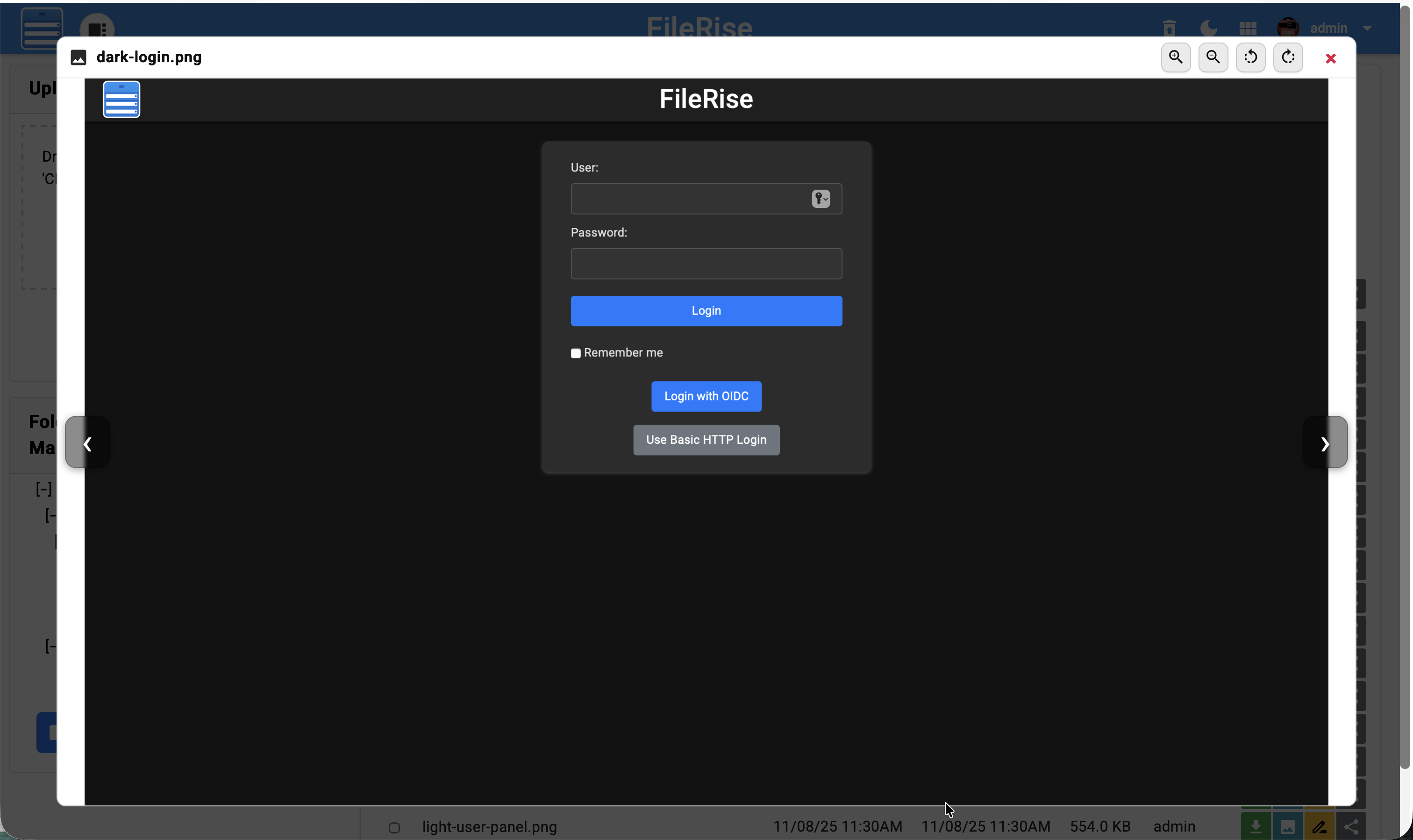
- Users can quickly preview images, videos, and PDFs directly in modal popups without leaving the page.
- The preview modal supports inline display of images (with proper scaling) and videos with playback controls.
- Navigation (prev/next) within image previews is supported for a seamless browsing experience.
-
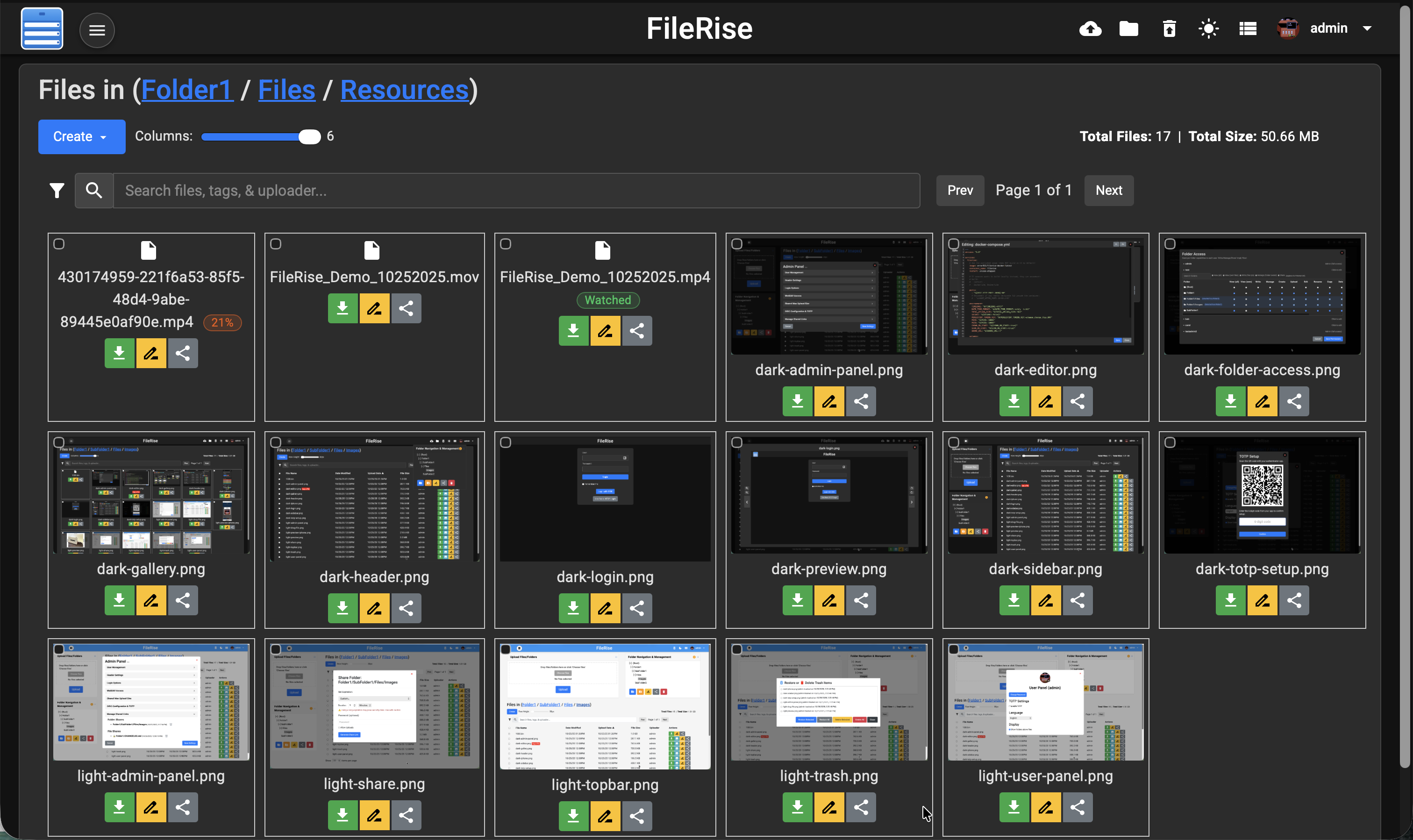
Gallery (Grid) View:
- In addition to the traditional table view, users can toggle to a gallery view that arranges image thumbnails in a grid layout.
- The gallery view offers multiple column options (e.g., 3, 4, or 5 columns) so that users can choose the layout that best fits their screen.
- Action buttons (Download, Edit, Rename, Share) appear beneath each thumbnail for quick access.
-
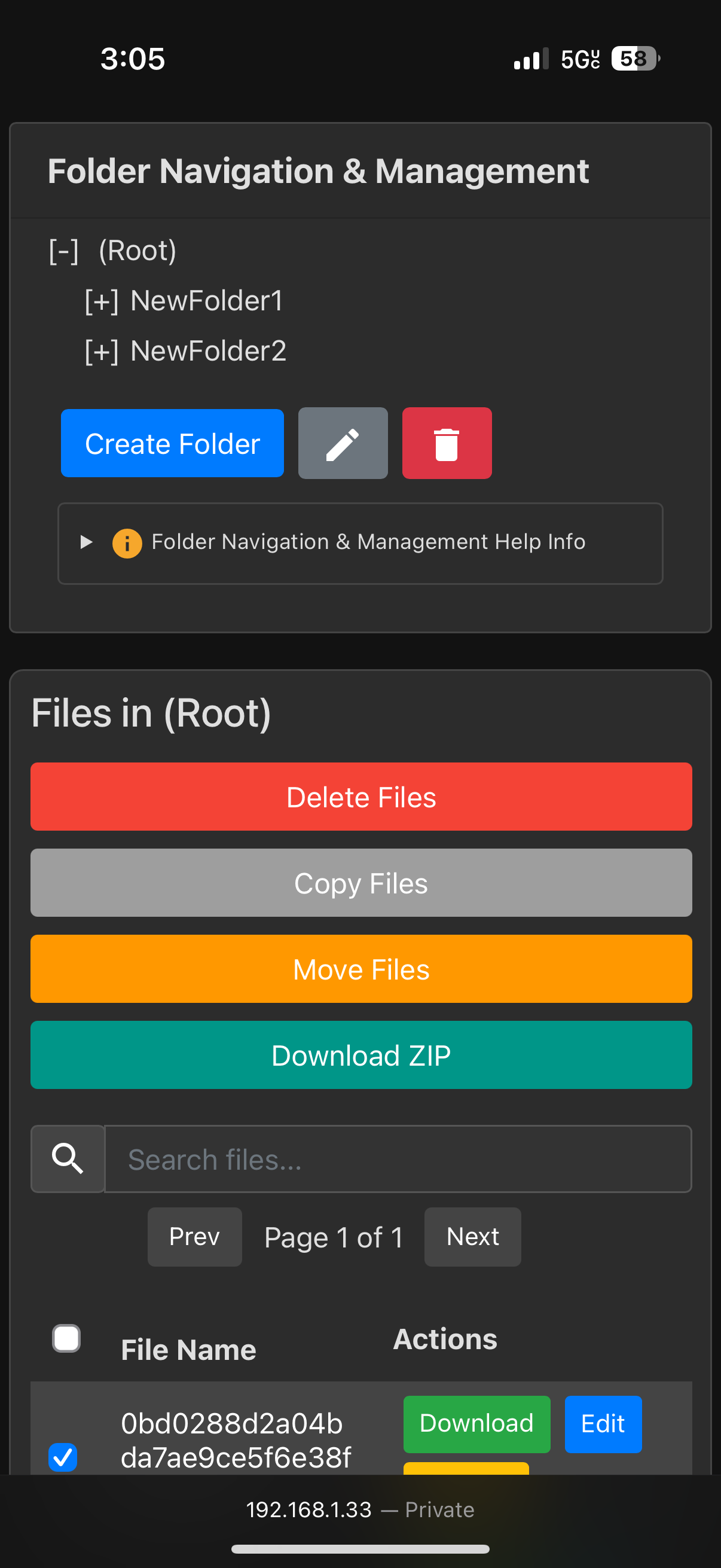
Batch Operations (Delete/Copy/Move/Download/Extract Zip):
- Delete Files: Delete multiple files at once.
- Copy Files: Copy selected files to another folder with a unique-naming feature to prevent overwrites.
- Move Files: Move selected files to a different folder, automatically generating a unique filename if needed to avoid data loss.
- Download Files as ZIP: Download selected files as a ZIP archive. Users can specify a custom name for the ZIP file via a modal dialog.
- Extract Zip: When one or more ZIP files are selected, users can extract the archive(s) directly into the current folder.
- Drag & Drop (File Movement): Easily move files by selecting them from the file list and dragging them onto your desired folder in the folder tree or breadcrumb. When you drop the files onto a folder, the system automatically moves them, updating your file organization in one seamless action.
- Enhanced Context Menu & Keyboard Shortcuts:
- Right-Click Context Menu:
- A custom context menu appears on right-clicking within the file list.
- For multiple selections, options include Delete Selected, Copy Selected, Move Selected, Download Zip, and (if applicable) Extract Zip.
- When exactly one file is selected, additional options (Preview, Edit [if editable], and Rename) are available.
- Keyboard Shortcut for Deletion:
- A global keydown listener detects Delete/Backspace key presses (when no input is focused) to trigger the delete operation.
- Right-Click Context Menu:
-
Folder Management:
- Organize files into folders and subfolders with the ability to create, rename, and delete folders.
- A dynamic folder tree in the UI allows users to navigate directories easily, and any changes are immediately reflected in real time.
- Per-Folder Metadata Storage: Each folder has its own metadata JSON file (e.g.,
root_metadata.json,FolderName_metadata.json), and operations (copy/move/rename) update these metadata files accordingly. - Intuitive Breadcrumb Navigation: Clickable breadcrumbs enable users to quickly jump to any parent folder, streamlining navigation across subfolders. Supports drag & drop to move files.
- Folder Manager Context Menu:
- Right-clicking on a folder (in the folder tree or breadcrumb) brings up a custom context menu with options for creating, renaming, and deleting folders.
- Keyboard Shortcut for Folder Deletion:
- A global key listener (Delete/Backspace) is provided to trigger folder deletion (with safeguards to prevent deleting the root folder).
-
Sorting & Pagination:
- The file list can be sorted by name, modified date, upload date, file size, or uploader.
- Pagination controls let users navigate through files with selectable page sizes (10, 20, 50, or 100 items per page) and “Prev”/“Next” navigation buttons.
-
Share Link Functionality:
- Generate shareable links for files with configurable expiration times (e.g., 30, 60, 120, 180, 240 minutes, and a 1-day option) and optional password protection.
- Share links are stored in a JSON file with details including the folder, file, expiration timestamp, and hashed password.
- The share endpoint (
share.php) validates tokens, expiration, and password before serving files (or forcing downloads). - The share URL is configurable via environment variables or auto-detected from the server.
-
User Authentication & Management:
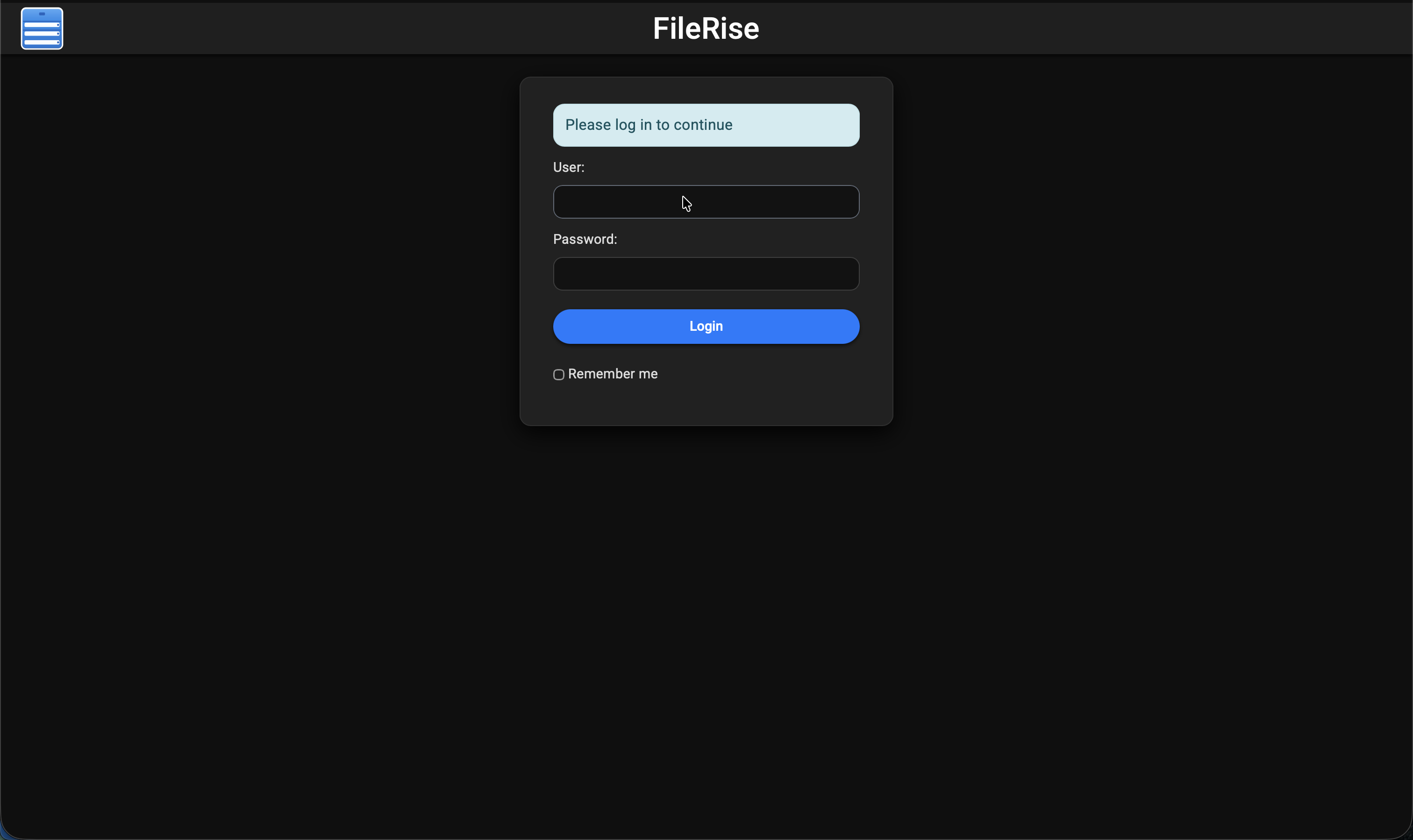
- Secure, session-based authentication protects the file manager.
- Admin users can add or remove users through the interface.
- Passwords are hashed using PHP’s
password_hash()for security. - All state-changing endpoints include CSRF token validation.
- Change password supported for all users.
- Persistent Login (Remember Me) with Encrypted Tokens:
- Users can remain logged in across sessions securely.
- Persistent tokens are encrypted using AES‑256‑CBC before being stored in a JSON file.
- On auto-login, the tokens are decrypted on the server to re-establish user sessions without requiring re-authentication.
-
Responsive, Dynamic & Persistent UI:
- The interface is mobile-friendly and adapts to various screen sizes by hiding non-critical columns on small devices.
- Asynchronous updates (via Fetch API and XMLHttpRequest) keep the UI responsive without full page reloads.
- Persistent settings (such as items per page, dark/light mode preference, folder tree state, and the last open folder) ensure a smooth and customized user experience.
-
Dark Mode/Light Mode:
- The application automatically adapts to the operating system’s theme preference by default and offers a manual toggle.
- The dark mode provides a darker background with lighter text and adjusts UI elements (including the CodeMirror editor) for optimal readability in low-light conditions.
- The light mode maintains a bright interface for well-lit environments.
-
Server & Security Enhancements:
- The Apache configuration (or .htaccess files) is set to disable directory indexing (e.g., using
Options -Indexesin the uploads directory), preventing unauthorized users from viewing directory contents. - Direct access to sensitive files (e.g.,
users.txt) is restricted through .htaccess rules. - A proxy download mechanism has been implemented (via endpoints like
download.phpanddownloadZip.php) so that every file download request goes through a PHP script. This script validates the session and CSRF token before streaming the file, ensuring that even if a file URL is guessed, only authenticated users can access it. - Administrators are advised to deploy the app on a secure internal network or use the proxy download mechanism for public deployments to further protect file content.
- The Apache configuration (or .htaccess files) is set to disable directory indexing (e.g., using
-
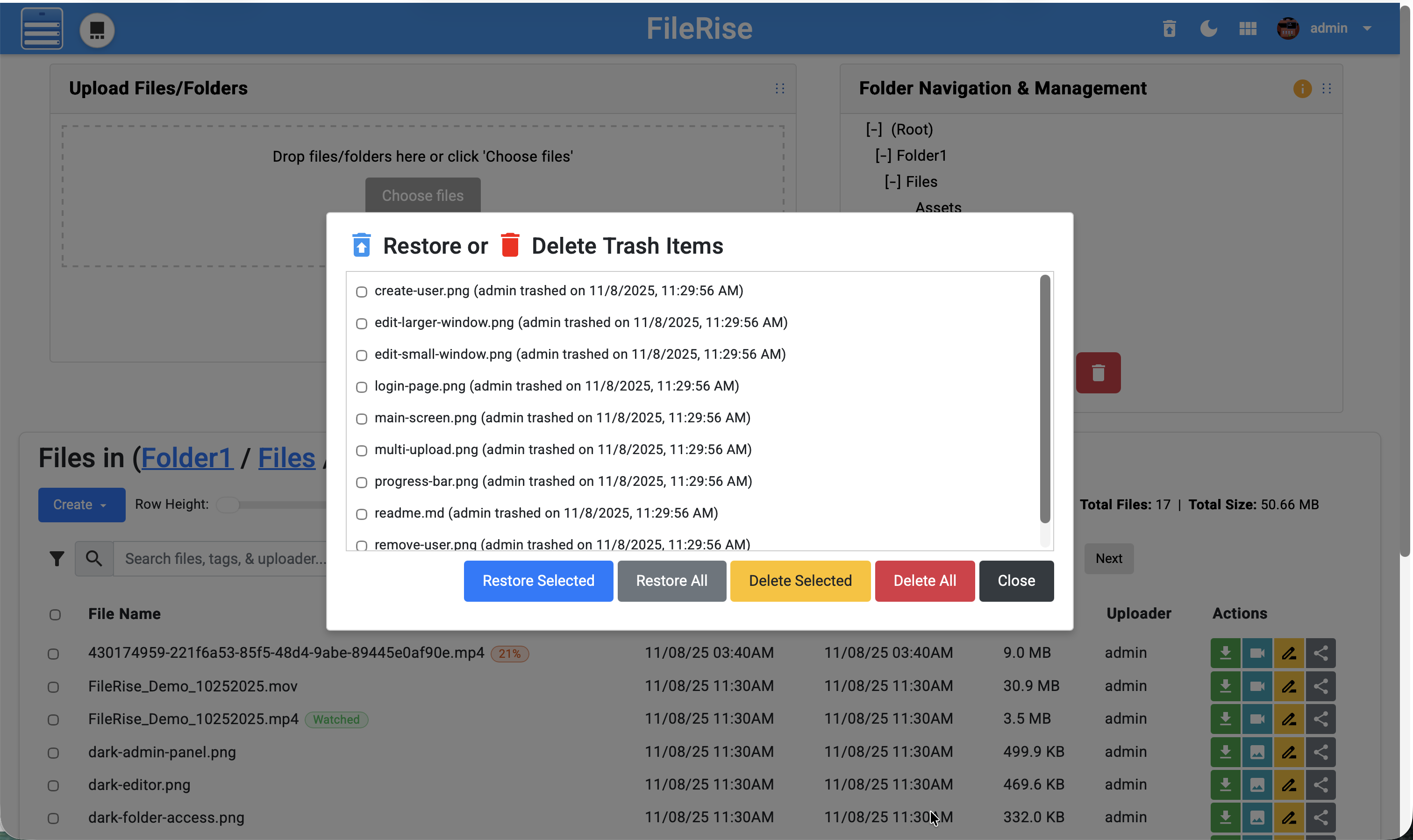
Trash Management with Restore & Delete:
- Trash Storage & Metadata:
- Deleted files are moved to a designated “Trash” folder rather than being immediately removed.
- Metadata is stored in a JSON file (
trash.json) that records:- Original folder and file name
- Timestamp when the file was trashed
- Uploader information (and optionally who deleted it)
- Additional metadata (e.g., file type)
- Restore Functionality:
- Admins can view trashed files in a modal.
- They can restore individual files (with conflict checks) or restore all files back to their original location.
- Delete Functionality:
- Users can permanently delete trashed files via:
- Delete Selected: Remove specific files from the Trash and update
trash.json. - Delete All: Permanently remove every file from the Trash after confirmation.
- Delete Selected: Remove specific files from the Trash and update
- Users can permanently delete trashed files via:
- Auto-Purge Mechanism:
- The system automatically purges (permanently deletes) any files in the Trash older than three days, helping manage storage and prevent the accumulation of outdated files.
- User Interface:
- The trash modal displays details such as file name, uploader/deleter, and the trashed date/time.
- Material icons with tooltips visually represent the restore and delete actions.
- Trash Storage & Metadata:
-
Drag & Drop Cards with Dedicated Drop Zones:
- Sidebar Drop Zone:
- Cards (such as the upload card or folder management card) can be dragged into a dedicated sidebar drop zone for quick access to frequently used operations.
- The sidebar drop zone expands dynamically to accept drops anywhere within its visual area.
- Top Bar Drop Zone:
- A top drop zone is available for reordering or managing cards quickly.
- Dragging a card to the top drop zone provides immediate visual feedback, ensuring a fluid and customizable workflow.
- Seamless Interaction:
- Both drop zones support smooth drag and drop interactions with animations and pointer event adjustments to prevent interference, ensuring that cards can be dropped reliably regardless of screen position.
- Sidebar Drop Zone:
Screenshots
Light mode:

Dark mode default:

Dark editor:
Light preview
Restore or Delete Trash:
Dark Login page:
Gallery view:
iphone screenshots:
Installation & Setup
Manual Installation
-
Clone or Download the Repository:
-
Clone:
git clone https://github.com/error311/FileRise.git -
Download:
Download the latest release from the GitHub releases page and extract it into your desired directory.
-
-
Deploy to Your Web Server:
- Place the project files in your Apache web directory (e.g.,
/var/www/html). - Ensure PHP 8.1+ is installed along with the required extensions (php-json, php-curl, php-zip, etc.).
- Place the project files in your Apache web directory (e.g.,
-
Directory Setup & Permissions:
-
Create the following directories if they do not exist, and set appropriate permissions:
uploads/– for file storage.users/– to storeusers.txt(user authentication data).metadata/– for storingfile_metadata.jsonand other metadata.
-
Example commands:
mkdir -p /var/www/uploads /var/www/users /var/www/metadata
chmod -R 775 /var/www/uploads /var/www/users /var/www/metadata
-
-
Configure Apache:
- Ensure that directory indexing is disabled (using
Options -Indexesin your.htaccessor Apache configuration). - Make sure the Apache configuration allows URL rewriting if needed.
- Ensure that directory indexing is disabled (using
-
Configuration File:
- Open
config.phpand adjust the following constants as necessary:BASE_URL: Set this to your web app’s base URL.UPLOAD_DIR: Adjust the directory path for uploads.TIMEZONE: Set to your preferred timezone.TOTAL_UPLOAD_SIZE: Ensure it matches PHP’supload_max_filesizeandpost_max_sizesettings in yourphp.ini.
- Open
Initial Setup Instructions
- First Launch Admin Setup:
On first launch, if no users exist, the application will enter a setup mode. You will be prompted to create an admin user. This is handled automatically by the application (e.g., via a “Create Admin” form).
Note: No default credentials are provided. You must create the first admin account to log in and manage additional users.
Docker Usage
For users who prefer containerization, a Docker image is available
Quickstart
-
Pull the Docker Image:
docker pull error311/filerise-docker:latestmacos M series:
docker pull --platform linux/x86_64 error311/filerise-docker:latest -
Run the Container:
docker run -d \ -p 80:80 \ -e TIMEZONE="America/New_York" \ -e TOTAL_UPLOAD_SIZE="5G" \ -e SECURE="false" \ -v /path/to/your/uploads:/var/www/uploads \ -v /path/to/your/users:/var/www/users \ -v /path/to/your/metadata:/var/www/metadata \ --name FileRise \ error311/filerise-docker:latest -
Using Docker Compose:
Create a docker-compose.yml file with the following content:
version: "3.8"
services:
web:
  image: error311/filerise-docker:latest
  ports:
    - "80:80"
  environment:
    TIMEZONE: "America/New_York"
    TOTAL_UPLOAD_SIZE: "5G"
    SECURE: "false"
    PERSISTENT_TOKENS_KEY: "default_please_change_this_key"
  volumes:
    - /path/to/your/uploads:/var/www/uploads
    - /path/to/your/users:/var/www/users
    - /path/to/your/metadata:/var/www/metadata
Then start the container with:
docker-compose up -d
Configuration Guidance
The config.php file contains several key constants that may need adjustment for your deployment:
-
BASE_URL:
Set to the URL where your application is hosted (e.g.,http://yourdomain.com/uploads/). -
UPLOAD_DIR, USERS_DIR, META_DIR:
Define the directories for uploads, user data, and metadata. Adjust these to match your server environment or Docker volume mounts. -
TIMEZONE & DATE_TIME_FORMAT:
Set according to your regional settings. -
TOTAL_UPLOAD_SIZE:
Defines the maximum upload size (default is5G). Ensure that PHP’supload_max_filesizeandpost_max_sizein yourphp.iniare consistent with this setting. The startup script (start.sh) updates PHP limits at runtime based on this value. -
Environment Variables (Docker):
The Docker image supports overriding configuration via environment variables. For example, you can setSECURE,SHARE_URL,PERSISTENT_TOKENS_KEYand port settings via the container’s environment.
Additional Information
-
Security:
All state-changing endpoints use CSRF token validation. Ensure that sessions and tokens are correctly configured as per your deployment environment. -
Permissions:
Both manual and Docker installations include steps to ensure that file and directory permissions are set correctly for the web server to read and write as needed. -
Logging & Troubleshooting:
Check Apache logs (located in/var/log/apache2/) for troubleshooting any issues during deployment or operation.
Enjoy using the Multi File Upload Editor! For any issues or contributions, please refer to the GitHub repository.